
Reference

onu4d App — Your Lobby on Every Screen

The onu4d mobile experience is built for how you actually use your phone — quick login, fast lobby access, and a layout that fits your screen whether you're in Yogyakarta or anywhere else in Indonesia.

mobile browser readyaccount continuityavailability checkdevice accesswhere local law permits
onu4d onu4d App — Your Lobby on Every Screen
onu4d Slots, Live Tables and Your Betslip on the Go

Slots, Live Tables and Your Betslip on the Go

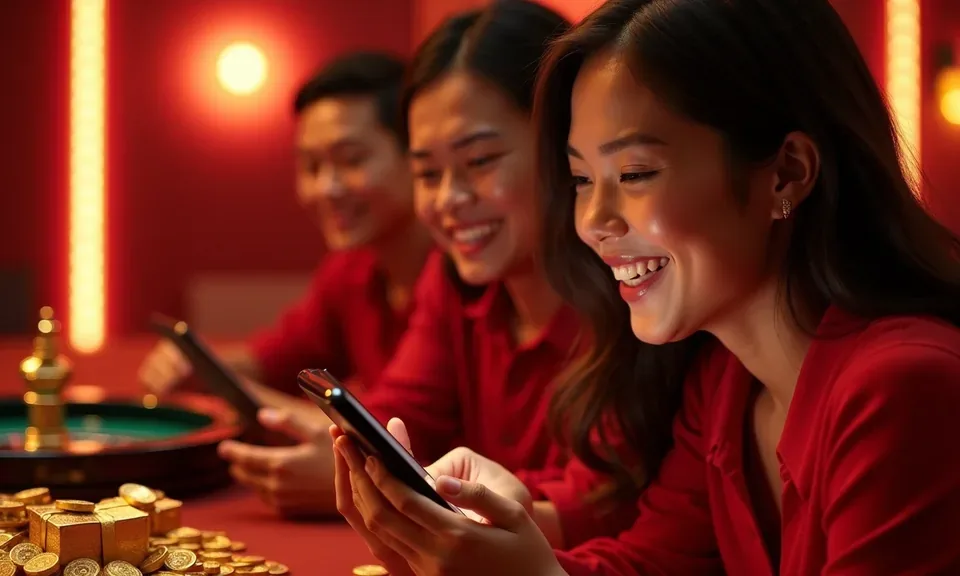
With onu4d on mobile, your whole lobby travels with you. Open Live Baccarat Salon or drop into Crash Fast Lift between tasks — the layout scales cleanly and the session holds. Push notifications flag market moves and promo updates so you're not refreshing manually. Quick deposit via DANA, OVO or GoPay is one tap from the wallet icon inside the app. If

your device supports it, fingerprint login skips the password step entirely and lands you straight at the lobby.

DEVICE COMPATIBILITY CHECK

What Devices and Browsers Work with onu4d

Before you commit to a session on mobile, it helps to know your device is fully supported. The checklist below covers the main things to confirm — browser version, screen layout, account requirements and how to check whether your specific device is on the supported list.

onu4d Mobile Browser Support

Mobile Browser Support

Chrome and Safari on current Android and iOS devices cover the large majority of sessions. Older browser versions may not render live casino streams from Evolution or Pragmatic Play cleanly — update if you see blank tiles.

onu4d Screen Layout Scaling

Screen Layout Scaling

The lobby adjusts for screens from compact Android phones up to tablet widths. Landscape mode is recommended for Live Baccarat Salon and football sportsbook markets — more of the betslip stays visible without scrolling.

onu4d Account Requirements

Account Requirements

You need a verified onu4d account to access the full lobby on mobile. Wallet verification — linking your DANA, OVO or GoPay account — is done once and then stored against your profile for future sessions.

onu4d Mobile Access in 3 Steps

Mobile Access in 3 Steps

No complicated setup needed. Getting the onu4d mobile experience running takes three straightforward steps, and each one works whether you're using a browser or a confirmed app build. Check the current download section on the site to see what's available for your device — we update that page when a new build is ready. If a native install isn't listed yet for

your OS, the browser path below works just as well and keeps your account data in sync across devices.

  • Open the current site — Head to onu4d on your mobile browser. The page detects your screen size and switches to the mobile layout automatically — no extra step needed.
  • Check browser compatibility — Chrome, Safari and the built-in browsers on most current Android and iOS devices all work. If the lobby tiles don't load cleanly, try clearing your cache or switching browsers.
  • Sign in securely — Enter your account credentials or use fingerprint login if your device supports it. Your session, wallet balance and game history carry over from any previous desktop or mobile visit.
  • Verify app availability — Check the dedicated download section on the site to see if a native app build is listed for Android or iOS. Availability depends on your region and local law.

Four Things the App Handles Differently

These are the features that change how you move through the onu4d lobby on mobile — less friction from login to game, and a layout built for smaller screens without cutting anything out.

Fingerprint Login

Skip the password on supported Android and iOS devices. Your biometric unlocks the session and drops you straight into the lobby without an extra OTP step.

Push Notifications

Opt in to alerts for Liga 1 market openings, Live Baccarat Salon seat availability and promo board updates — delivered to your lock screen, not buried in email.

Dark Mode Display

Night sessions on live casino tables and slots are easier on your eyes. Dark mode switches automatically based on your device setting or you can lock it manually.

Offline Lobby Preview

Browse game tiles, check RTP where a provider like Pragmatic Play or PG Soft exposes it, and queue your next session even when your connection is patchy.

What You're Asking About the onu4d App

These are the questions we hear most often about mobile access, app availability and how your account behaves across devices. If something isn't covered here, reach out via the support channel in your account.

Check the download section on onu4d for the current status. App availability depends on your device type and local law. The mobile browser version works fully in the meantime.

Yes — your account balance, game history, wallet links for DANA, OVO and GoPay, and all lobby sections carry over. A few live casino layouts adjust for smaller screens but nothing is removed.

Fingerprint login is supported on Android and iOS devices that have biometric unlocking enabled. You activate it once inside your account security settings and it applies to every session after that.

Yes, if you opt in. You can choose which alert types to receive — Liga 1 and European football market openings, live casino table updates, and promo board changes are all configurable separately.

Tap the wallet icon inside the app lobby, select your e-wallet — GoPay, OVO or DANA — then follow the transfer prompt. Your wallet app opens automatically and confirms the transaction with your PIN.

First try clearing your browser cache or reinstalling the app build. For live tables streamed by Evolution or Pragmatic Play, check your connection speed — a 4G or Wi-Fi signal works much more reliably than 3G.
Reference

onu4d App

Service availability depends on eligible regions and local law. Users should check local rules before opening an account.

Access may be available only where local law permits.